
Whether you host now and then or manage several short-term rentals, security is probably always on your mind. But it’s not just about slapping up a few cameras and hoping for the best. As a host, it’s important to understand how CCTV monitoring really works and how to handle it responsibly and within the law. That means getting comfortable with the tech terms and legal requirements behind modern video surveillance.
Knowing these basics helps you make smarter choices to protect your property and build trust with your guests. Plus, it keeps you in the clear legally. Here’s a straightforward guide to the key CCTV terms every Airbnb owner should know and why they matter for your hosting game.
1. CCTV (Closed-Circuit Television)
At its simplest, CCTV just means a system of video cameras set up to keep an eye on certain areas of your property. Unlike regular TV, the footage is sent to a closed network, so only people you’ve authorized can see it. It’s one of the most basic building blocks of any security setup, and when done right with a high quality CCTV system installation, it can make a huge difference in how safe and secure your Airbnb feels. For hosts, this usually means placing exterior cameras around entryways or shared spaces. Some also choose to install cameras inside, but that comes with extra responsibility. If you go that route, you need to be upfront with your guests and never place cameras in private areas like bedrooms or bathrooms. Being transparent is key to protecting your property while still respecting guest privacy.2. Field of View (FOV)
Field of view refers to how much area a camera can capture at once. A wide-angle lens offers a broader view, allowing you to monitor more ground with fewer devices. For outdoor cameras near your front entrance or parking area, a larger field of view ensures no activity goes unnoticed. Understanding this helps you place cameras strategically so they don’t miss blind spots or record more than they should. For example, if your Airbnb is in a quiet neighborhood, you’ll want a camera that focuses on your doorstep and not the neighbor’s yard.3. Motion Detection
This feature allows cameras to start recording only when motion is detected. It saves storage space and reduces the time you spend reviewing footage. Plus, many systems send alerts directly to your phone, letting you know when there’s activity on the property. If a guest checks in early or an unfamiliar face lingers near your door, motion detection gives you a heads-up without the need for constant monitoring. This is especially helpful if you manage your rental remotely and want peace of mind while away.4. Two-Way Audio
Some surveillance cameras come equipped with microphones and speakers that allow real-time communication. You can use this feature to greet guests and guide them through self-check-in. It’s especially helpful when you’re not nearby. Let’s say a guest is having trouble with the smart lock or isn’t sure where to park. You don’t have to play phone tag. You can just speak to them directly through the camera. It saves time, clears up confusion, and adds a personal touch to their stay. Plus, if someone shows up who shouldn’t be there, you can step in right away with a quick verbal warning.5. Recording vs. Live View
These two functions are often confused. Live view lets you watch footage in real time, while recording stores video for later review. Most modern systems let you do both, but it’s important to know what your cameras can do. Guests appreciate transparency. If your property description mentions live monitoring of the front porch but doesn’t record footage, make sure that’s clear. The more your guests know, the more trust they’ll place in your property.6. Resolution
Camera resolution determines how clear and detailed your video footage will be. Common resolutions include 720p, 1080p, and 4K. The higher the resolution, the more detail you’ll be able to capture, which is important for identifying faces and other key details. If you’ve ever reviewed grainy footage and struggled to make out a face, you understand how critical this is. As an Airbnb host, choosing cameras with high resolution helps you better protect your property and resolve potential issues more effectively.7. Privacy Zones
Some cameras let you block out parts of the view you don’t want to record. These are called privacy zones. They’re super helpful if your camera happens to catch areas it shouldn’t, like a neighbor’s yard or a guest’s private hangout spot, like a hot tub. Using privacy zones isn’t just smart, it helps you stay on the right side of local laws and Airbnb’s privacy rules. Plus, it shows your guests that you respect their space, which can go a long way toward building trust (and scoring those five-star reviews).8. Data Retention Period
This term refers to how long the system keeps your video footage before deleting it. Some systems automatically delete footage after a week, while others retain it for 30 days or more. Knowing your system’s default settings can help you manage storage and ensure you have access to the footage when you need it. For example, if a guest reports a missing item after checkout, you’ll want to make sure that relevant footage is still available. You may also need to adjust your retention settings based on how often your property is booked.9. Disclosure and Consent
Even though it’s last on the list, this one might be the most important. Disclosure means letting guests know you have cameras on the property. Consent means they’re okay with it. Airbnb is really clear about this: hosts must disclose any recording devices, whether they’re on or off, inside or outside. If you skip this step, you could get removed from the platform or even face legal trouble. So don’t leave it to chance. Make sure your listing clearly mentions any cameras, and follow up with a quick reminder in your check-in instructions. Let guests know where the cameras are, what areas they cover, and whether they’re actively recording. It’s all about being upfront and respectful, which your guests will appreciate.Responsible Hosting with Smart Security
Running a successful Airbnb means making safety a priority, both for you and your guests. Knowing how CCTV systems work and using them the right way is a big part of that. The terms we’ve covered aren’t just tech jargon, they’re the basics every responsible host should understand. If you’re not sure where to start, working with a camera system installer for Airbnb rental monitoring can make the process a whole lot easier. They’ll help you choose the right setup, make sure it’s installed legally and effectively, and guide you through how to use it without crossing any privacy lines. When you install cameras thoughtfully, and communicate openly with guests, you’re protecting your property while building trust. And that’s what keeps guests coming back.Video
Infographic
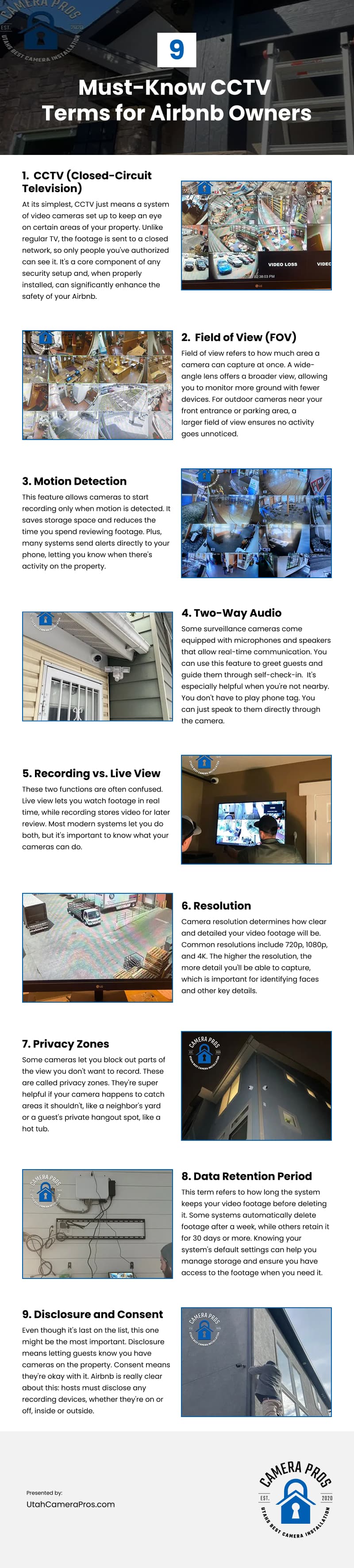
CCTV monitoring can be a valuable tool for Airbnb hosts; however, using it responsibly requires understanding both the technical basics and the legal requirements associated with surveillance. This infographic outlines nine essential CCTV terms for Airbnb owners.