The safety of hotel guests and staff has to be a top priority. Nobody will want to spend the night if they don’t feel safe.
Security cameras help protect your reputation and give everyone peace of mind. With a commercial indoor CCTV system installation in Utah, you strengthen your entire safety plan. Guests feel more at ease, and your team can focus on their work knowing reliable oversight is in place.
The benefits go far beyond deterring trouble. Need to check on a medical emergency? Concerned about suspicious activity? Live footage allows quick, informed responses in the moment. The right combination of hardware and safety system integration can transform your property into a proactive, responsive environment, meet compliance requirements, and keep operations running smoothly.
Table of Contents
ToggleIdentifying High-Priority Areas in Your Property
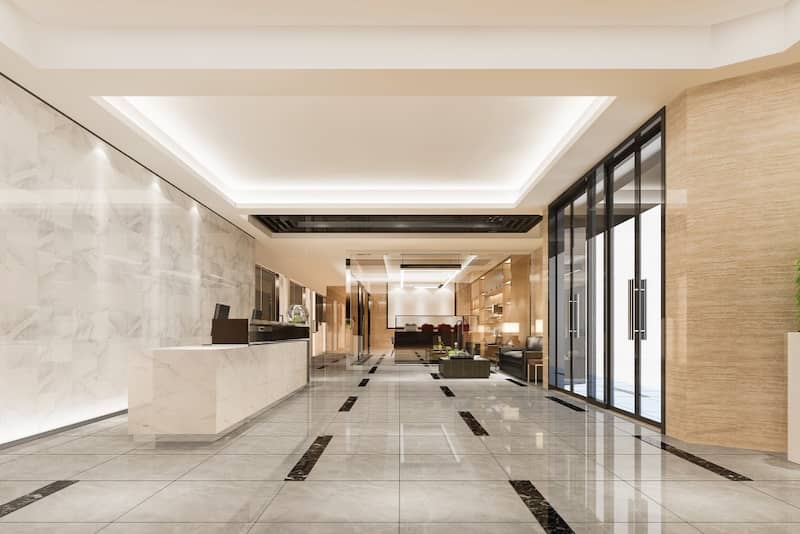
Start by focusing on the zones where cameras will make the biggest difference. Busy areas like lobbies, hallways, parking lots, and main entrances see the most traffic and the most risk. Cameras here not only discourage unwanted activity but also make it easy to confirm reported incidents. Common spaces like meeting rooms or the hallways between guest rooms benefit too, giving you a clear view of activity and adding a protective layer to every guest’s stay.
But don’t forget the spots that often fly under the radar. Service areas, staff entrances, loading docks, and outdoor walkways near utility access points can be prime targets for unauthorized entry or property damage. Including these in your CCTV camera installation helps eliminate blind spots and keeps you ready to respond the moment something happens. A little extra planning now can save you big headaches later.
Choosing the Right Technology for Hospitality
Choosing the right cameras means finding the perfect balance between clear quality and practical features. You will want HD cameras, 1080p or better, to ensure every detail is sharp. It is also smart to consider models that handle low light well or have infrared so you do not miss a thing, day or night. If your cameras will be outdoors, choose cameras that are built tough with weatherproof housings designed to withstand whatever nature throws their
Don’t overlook advanced features like:
- Motion detection
- Tamper alerts
- Remote monitoring
- Two-way audio
These features serve as a deterrent and are useful for paging or addressing loiterers without immediately dispatching staff.
Best Practices for Successful Installations
Once you have picked your gear, how you install it makes a difference. Plan each camera’s view carefully so its coverage overlaps just enough without any blind spots. Mount them high enough to keep them safe from tampering but still close enough to capture clear faces and important details. Pay attention to angles too, especially in bright spots like lobbies with big windows, as this helps cut down on glare and reflections.
Don’t forget about the wiring. Keeping cables hidden not only looks cleaner but also keeps your system safer. Use sturdy mounts and secure connections so nothing sags or comes loose over time. After everything is in place, test each camera thoroughly. Watch live feeds during the day and night, review recorded footage, run through a few test scenarios, and make sure everything works smoothly with your other security systems.
Integrating Security, Access Control, and Alarms
Security cameras work best when teamed up with access control systems and alarms. Imagine a door gets forced open or left propped open; your cameras can instantly send alerts to management or security so someone can jump on it right away. When paired with key card systems, cameras verify exactly who is entering restricted areas.
Look for solutions that offer mobile alerts and alarm integration. For example, if a motion sensor near a service door goes off late at night, your system can automatically pull up the live feed and send a push notification straight to your front desk. This kind of smart setup helps your team respond faster and stay in control without needing to watch screens all day.
Balancing Surveillance with Guest Privacy
Protecting your property is important, but so is respecting privacy. Cameras should never be placed in private areas like guest rooms or bathrooms. Not only is it against the law in most places, but it can seriously damage your reputation. Instead, keep surveillance in public spaces and let guests know it’s there with clear signs at entrances or notes in your privacy policy.
You can be transparent without crossing boundaries. Make sure your team knows exactly where cameras are placed, why they’re there, and how footage is handled. Store recordings securely, and review them only for legitimate security purposes. This kind of openness builds trust, creating an environment where guests and staff feel protected—not watched.
Training Staff and Defining Response Protocols
Your surveillance system is only as good as the people using it. Make sure your front desk team can handle live monitoring and reviewing footage. They should also know how to escalate emergencies. Train security and overnight staff to manage video evidence properly when law enforcement is involved.
Having a clear incident response playbook is key. Define roles and steps for handling alerts. Who is contacting authorities and documenting footage? This kind of preparation helps reduce stress and ensures your team stays calm and professional when it matters most. Regular practice makes the process feel natural and keeps your response consistent and effective.
Maintaining Systems for Long-Term Efficiency
Installing cameras is just the first step. Keeping your system running smoothly means staying on top of regular maintenance. Set up a schedule for quick monthly check-ins, test audio and motion sensors every few months, update firmware once a year, and don’t forget to clean those camera lenses. Dust, moisture, software glitches, or worn cables can hurt your system’s performance if you’re not careful.
Keep a clear record of all maintenance tasks and how quickly any issues get fixed. That way, if a camera gets blocked or vandalized, you’ll know exactly when it happened and what you did to fix it. Staying organized helps cut down downtime and keeps your security tight. Plus, a well-maintained system always looks good during inspections and helps you stay on track with insurance and regulations.
Preparing for Future Enhancements
Think of your security system as something that grows with you. While basic monitoring might cover your needs today, you may want to add smarter features like guest recognition or behavior tracking later on. You could also consider linking your system to fire or smoke sensors. Starting with high-quality video, solid wiring, and cloud storage sets a strong foundation for these upgrades.
A modular system saves time and money by making future expansions smoother. When you decide to add cameras, advanced analytics, or mobile alerts, your current setup should be ready to handle the changes without any hassle. Planning ahead lets your surveillance grow at your own pace with minimal disruptions, keeping your property protected every step of the way.
Security That Builds Trust and Protects Every Corner
Your commitment to security builds confidence among your guests and staff. It also improves how your operations run and lowers your liability risks. Choosing the right cameras, integrating your systems, training your team, and keeping everything well-maintained helps create a atmostphere where everyone feels safe and respected. Taking time to regularly review and enhance your surveillance program will help you face future challenges with calm and confidence.
Your security camera system can be much more than a simple safeguard. It can become a strategic tool that brings together safety and professionalism throughout every part of your property.